Open OnDemand
Open OnDemand (OOD) is a user-friendly web interface for accessing Cheaha and all of its associated software and tools without needing to manage a person VNC session. It is currently the preferred method for accessing Cheaha at UAB.
OOD is available at rc.uab.edu. Navigate there and authenticate with your UAB credentials. Outside reseachers will need to use XIAS. If you do not have a Cheaha account, you will be requested to make one.
Homepage
After account creation, you will see the OOD homepage:
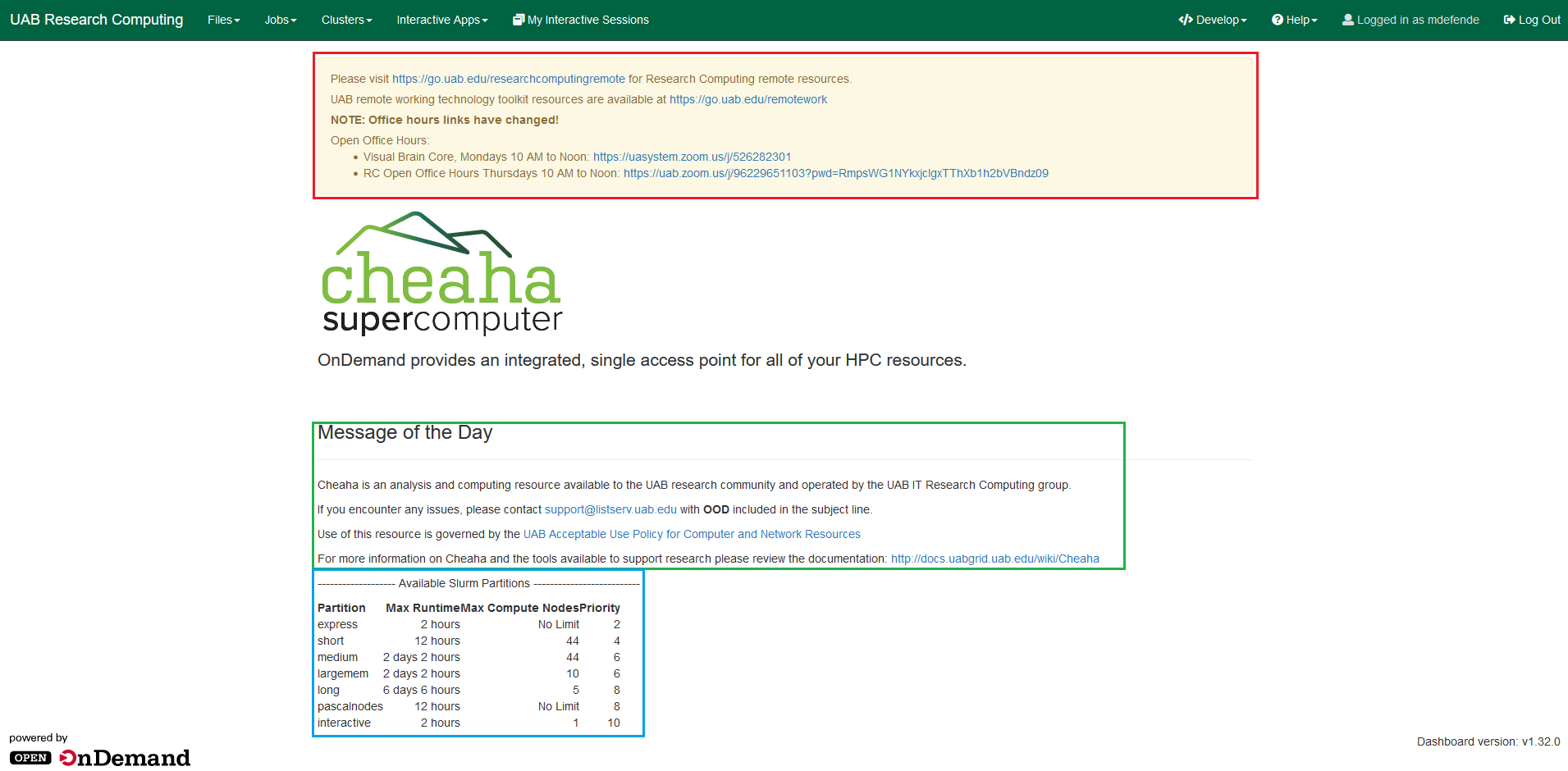
You will find system-wide messages from admins at the tope of the page (red outline). These will always include links to the Research Computing Office Hours on Zoom. This will also be the place to see information about ongoing maintenance.
In the middle of the page (green outline), you will see a Message of the Day containing the email address for support if you are having any issues with Cheaha. There are also links to our Acceptable Use Policy as well as links to our documentation.
Lastly, there is a table with a list of available SLURM partitions on Cheaha with their max runtime and number of compute nodes per job as well as their priority. Use this table to plan job requests based on your needed computational resources.
Toolbar
To access all of the features OOD has to offer, use the toolbar at the top of the page that looks like:

In it, you will find options to:
Directly access your files on Cheaha
View currently running jobs
Interface with Cheaha via a shell terminal
Request interactive sessions
To use a shell terminal in Cheaha through OOD, click Clusters >> >_Cheaha
Shell Access. You can use this exactly like a standard ssh tunnel.
Warning
Using the shell terminal in this way puts you on the login node. Do not run any compute tasks on the login node. Request a compute node first!